How to Sync Your Desktop to an Existing OneDrive
Fresh installation did not include a synced desktop from your old PC?

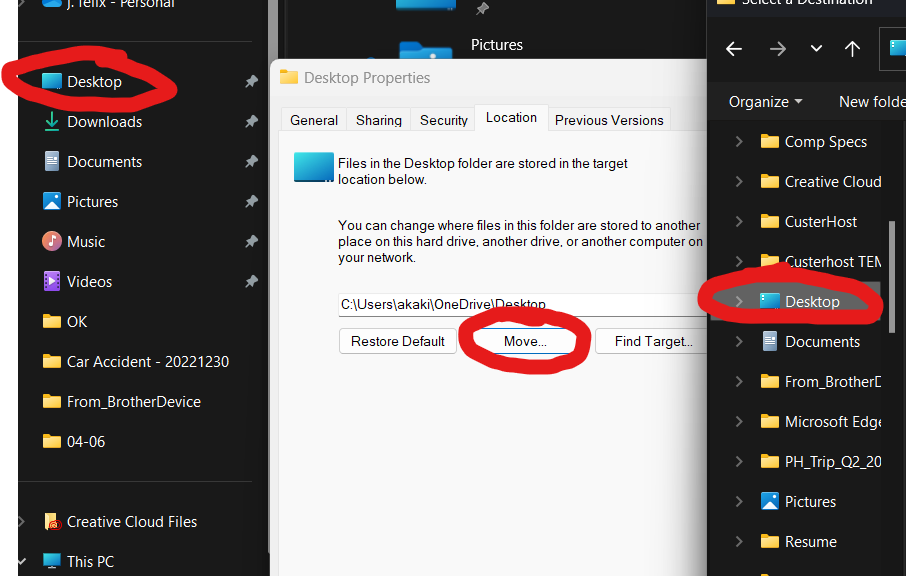
- Right click Desktop
- On Desktop Properties, go to Location tab
- Click Move
- Click select folder to Desktop
- Hit Apply on Desktop Properties
- Your OneDrive is now desktop synced