Enable AMD Smart Access Memory (SAM) on MSI B50 Tomahawk
What is Smart Access Memory (SAM) and how to enable in MSI B350 Tomahawk on bios menu and windows.

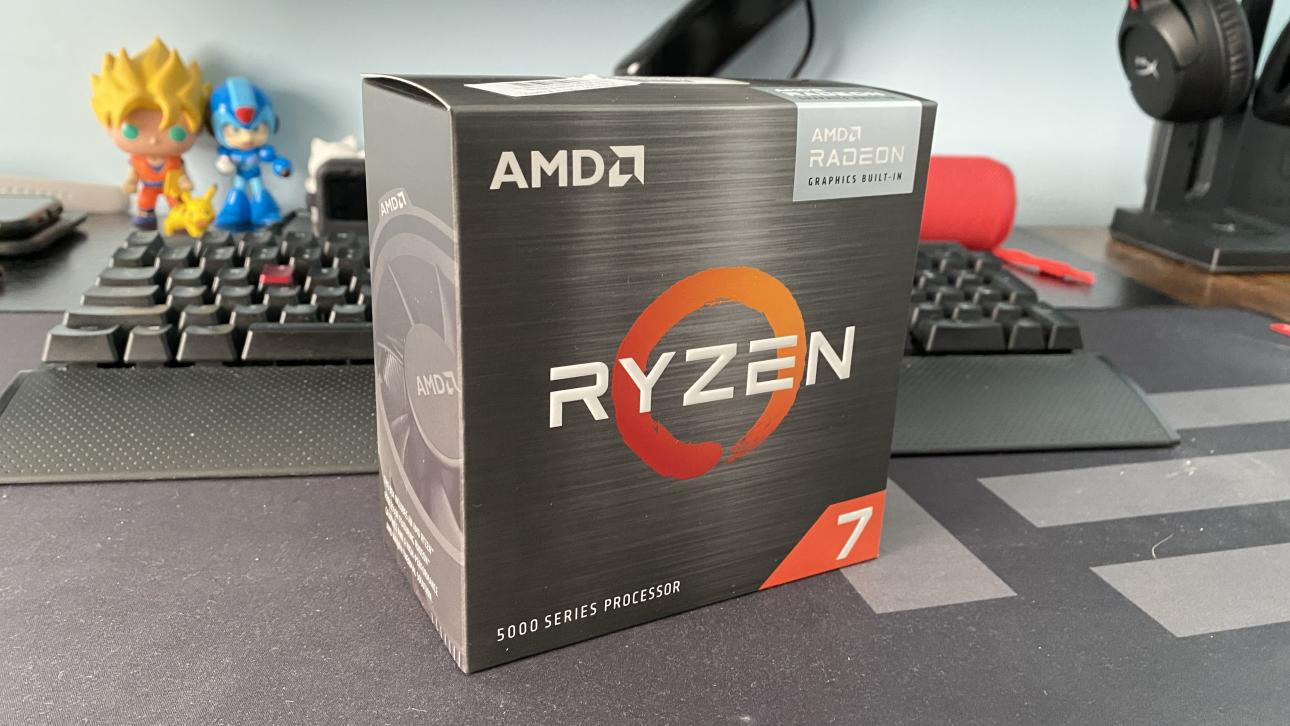
What is AMD Smart Access Memory?
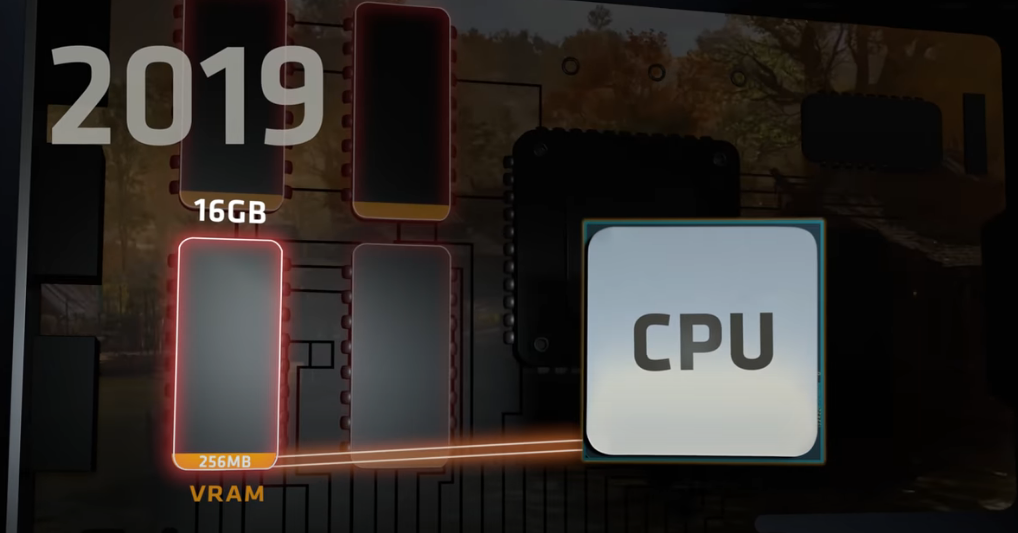
Before SAM was enabled in pre-2020, the old architecture of CPU had limited access to the VRAM. This allowed for bottlenecks on programs and games.
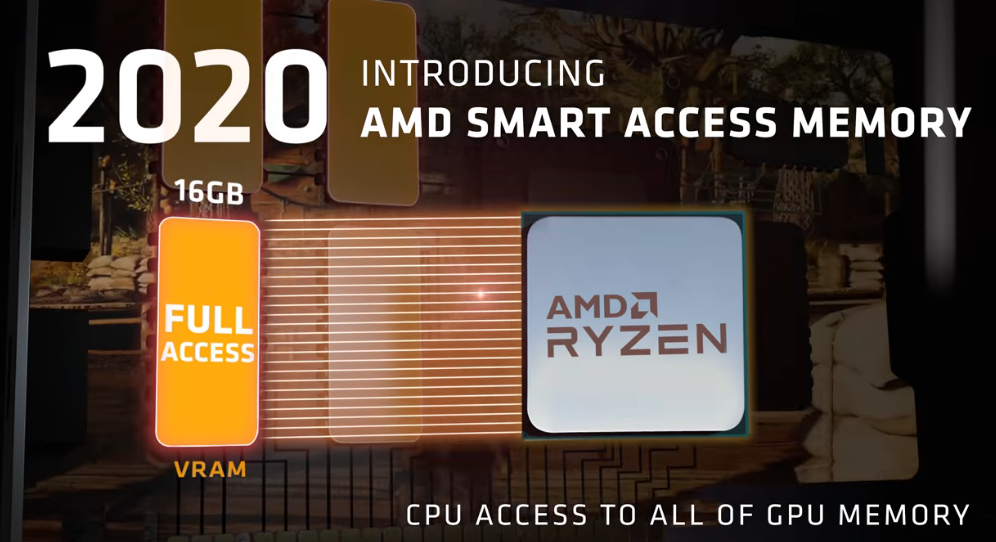
SAM allows the CPU to access GPU's maximum memory (VRAM) for maximum bandwidth of the PCIe to help remove bottle necks and increase performance.
AMD claims this will give you up to 15% performance boost in reducing bottlenecks. Who wouldn't want free performance gains just with a flip of a switch?
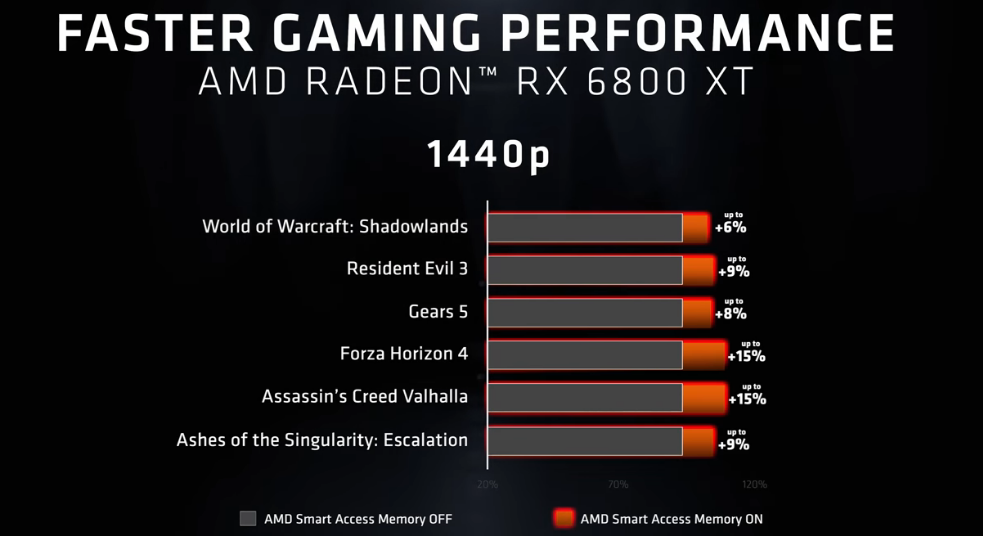
Get Up to 15% More Gaming Performance with AMD Smart Access Memory
Requirements
- AMD 300-500 series motherboards
- AMD Ryzen 5000 series processors
- AMD Radeon 6000 graphics cards
- Latest bios (check if your motherboard supports AGESA 1.2.0.7)
Access Bios
To access your bios, turn on your computer and press Delete on your keyboard while booting. If your computer is already on, restart your computer.
Bios Boot Menu
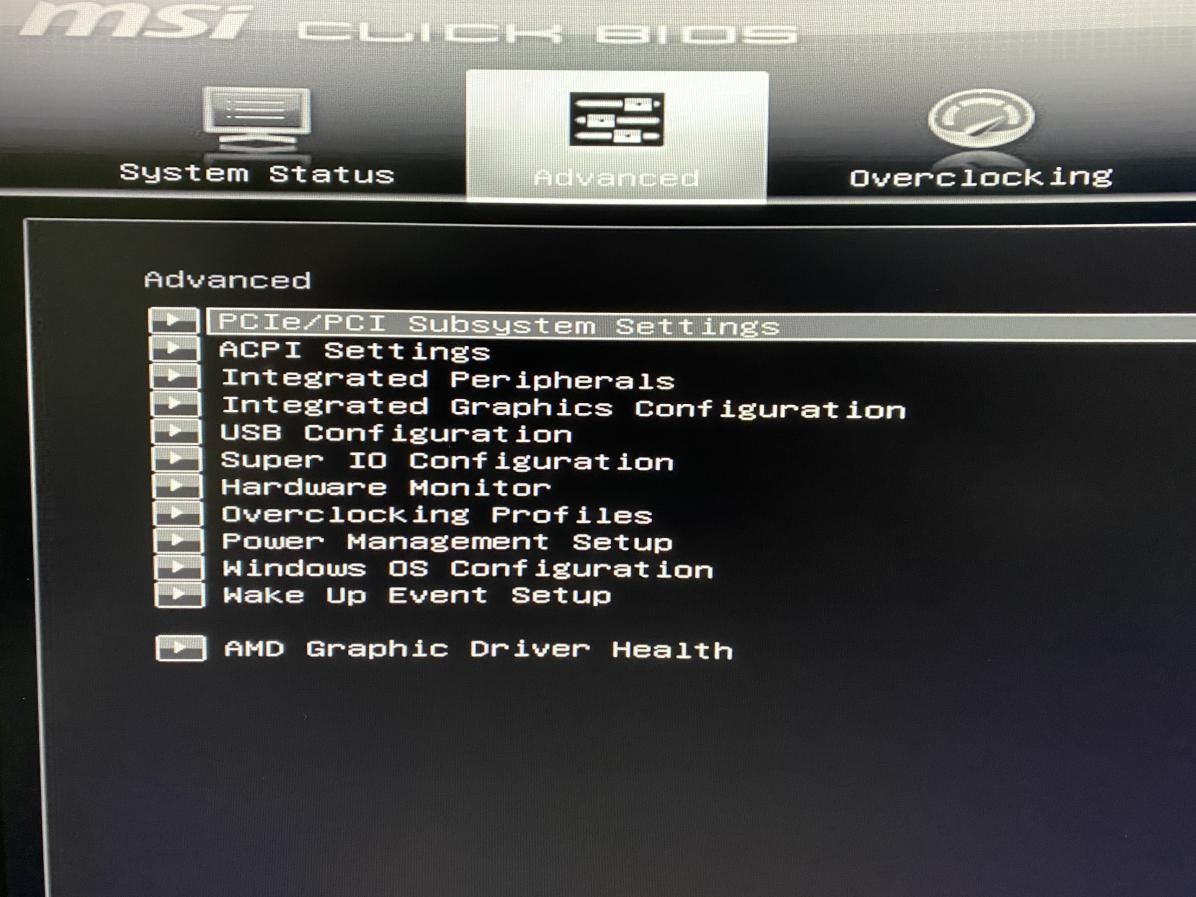
Go to Advanced | PCIe/PCI Subsystem Settings
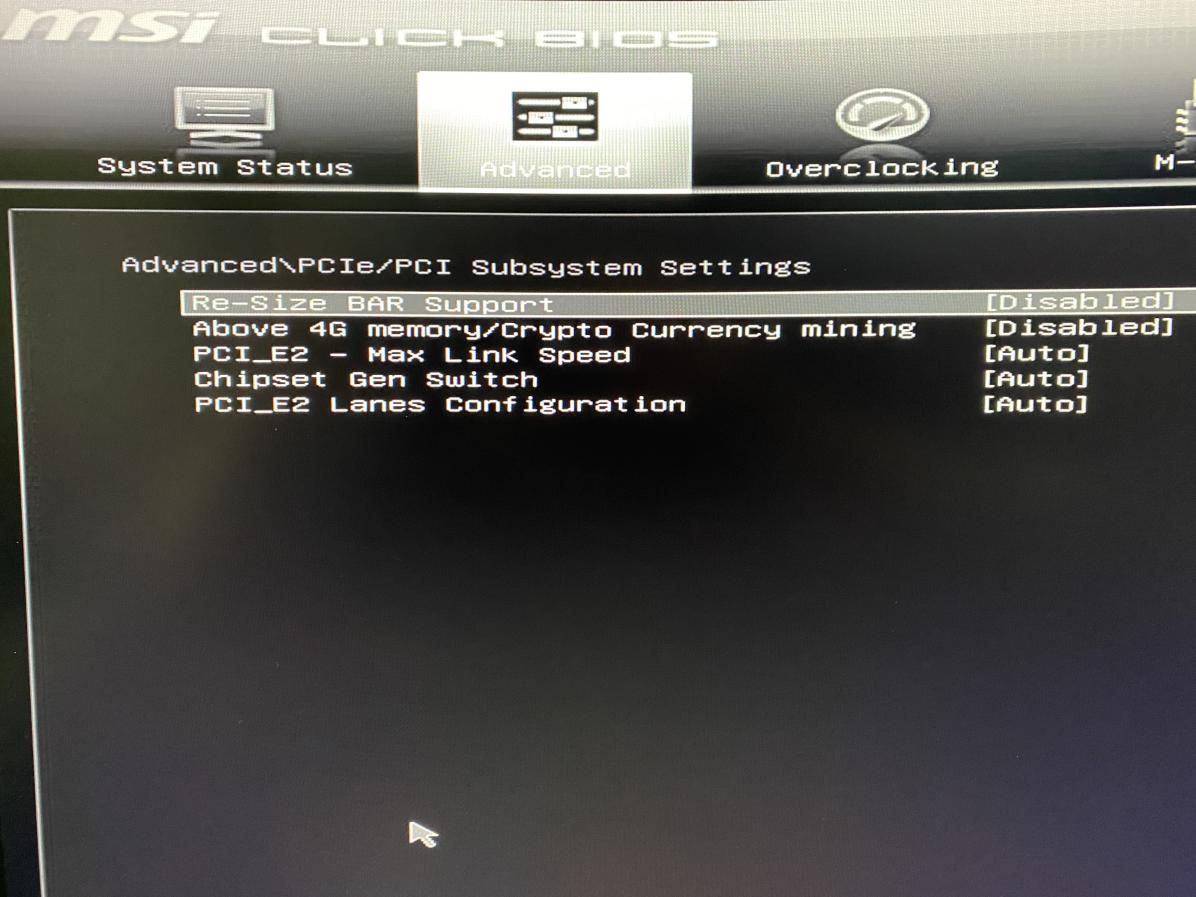
On PCIe/PCI Subsystem Settings enable:
- Re-Size Bar Support
- Above 4G memory/Crypto Currency mining.
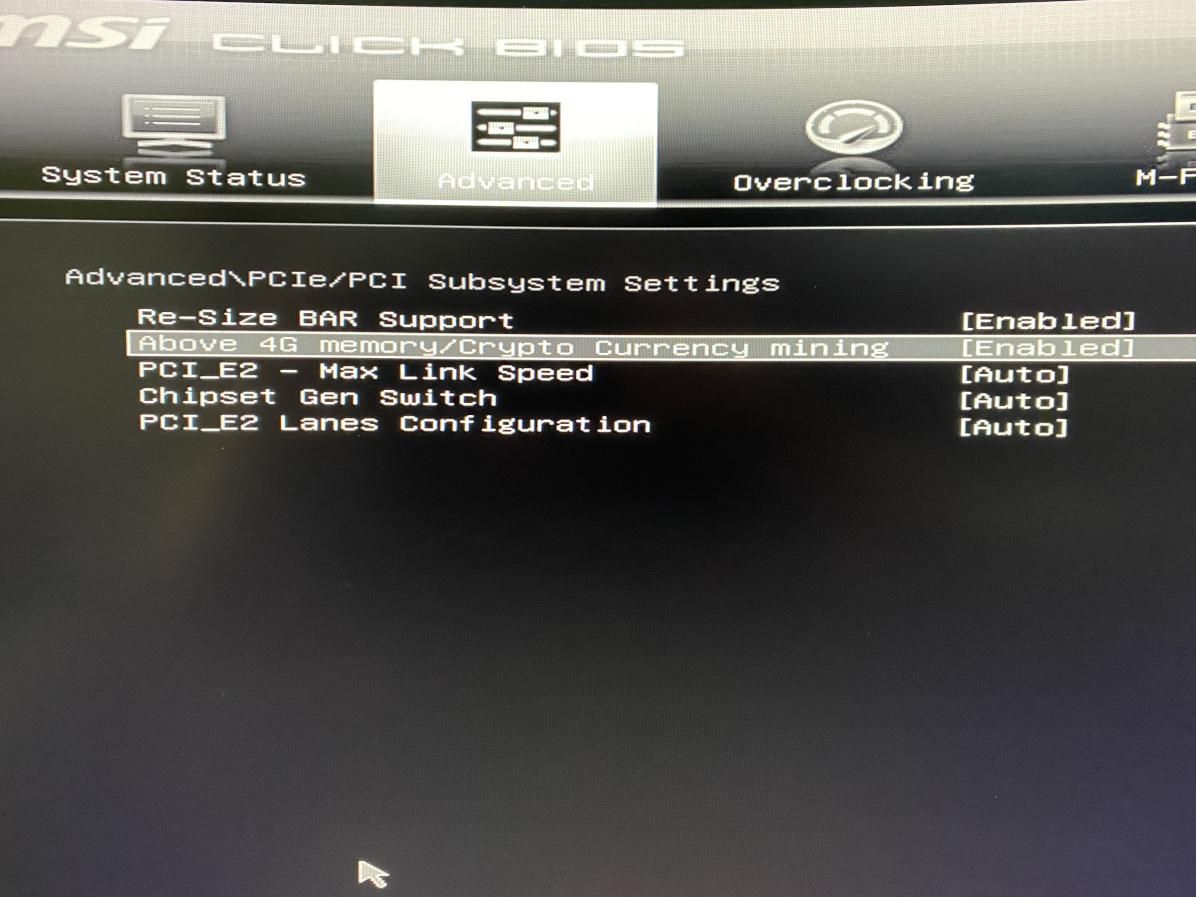
How it looks enabled.
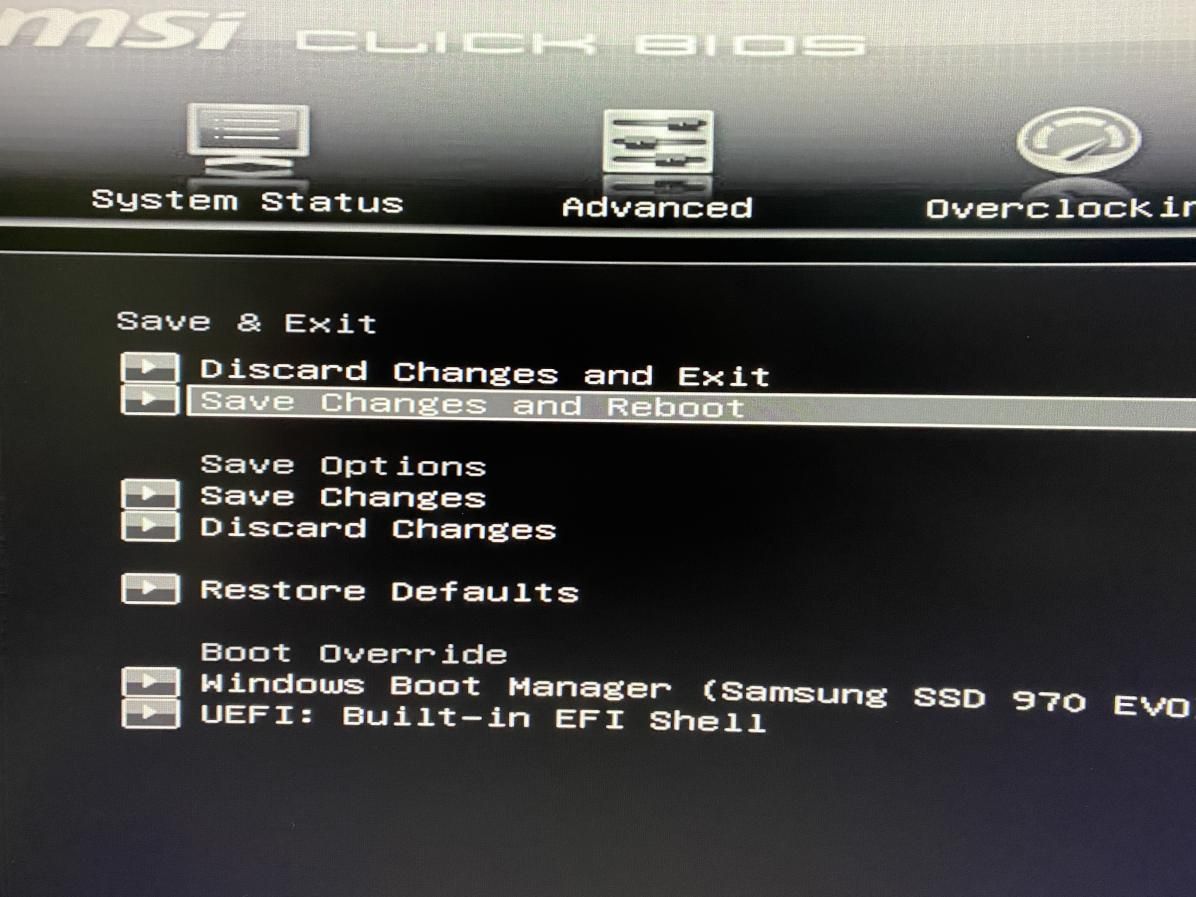
Save your settings.
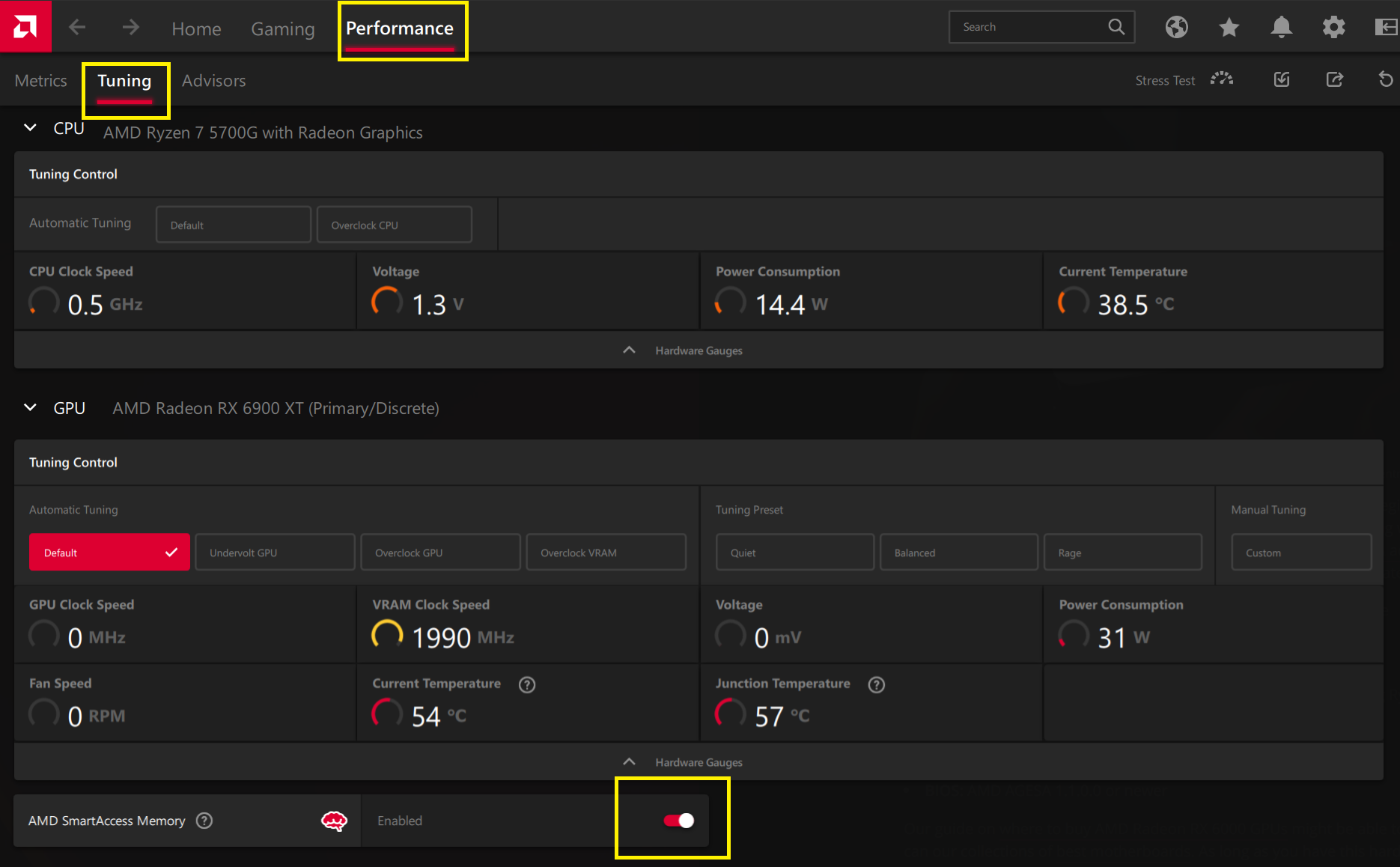
Enable SAM on Windows/Adrenalin
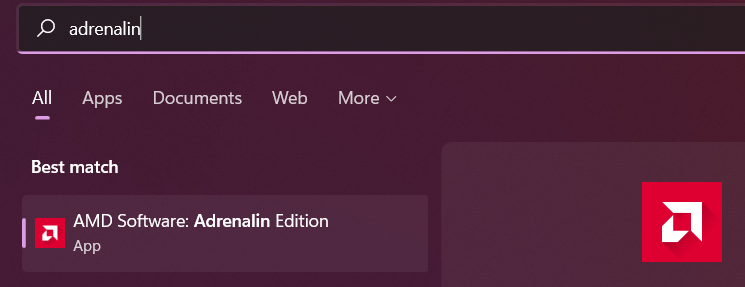
When your computer starts, search for the AMD Adrenalin software and open it.
To enable to go: Performance | Tuning | Enabled
# Reference 1 2