Wipe your HDD/SSD clean using Windows Command Prompt
Simple way of cleaning your disk using Windows' diskpart if you are unable to delete them disk management.


Simple way of cleaning your hard drive using Windows diskpart if you are unable to delete them disk management.
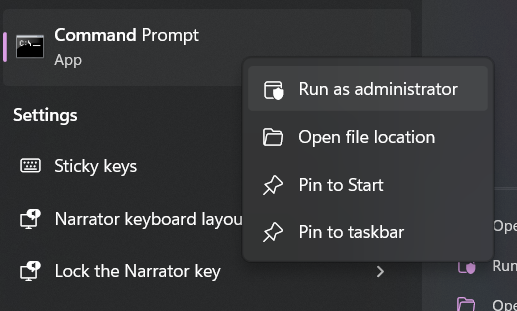
Go to Windows Start and search for Command Prompt.
Before clicking the app, right-click on the app and select Run as administrator.
When the app opens run:
diskpart
On DISKPART> type:
list disk
Replace the X with the disk you want to clean:
select disk X
Run command to quick format:
clean
or
Run command to thoroughly clean (takes longer)
clean all